Company

Engineering-led. Vertically integrated. Built to ship.

One team designs, builds, and tests every product in our facility in Ashdod. No outsourcing, no handoffs between design and production.

Read our story
PT PLUS · PTF-22-PDC

Configure the flush.From your phone.

The Android app for RNC's PT Plus programmable switches

Live product view, on-site changes, every setting verified. From one unit to a full production run.
Live monitoring Verified flashing Batch production mode
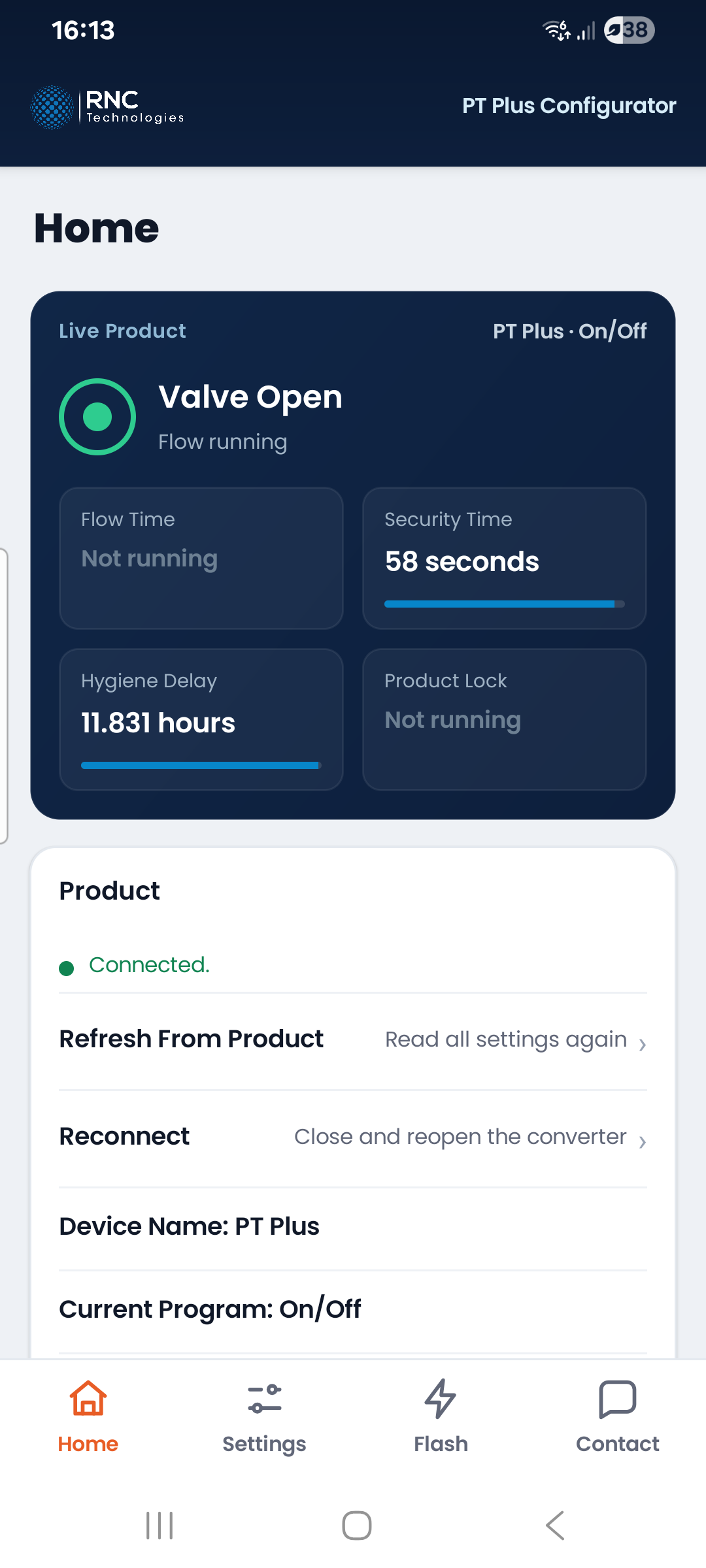
PT Plus Configurator home screen, showing a connected product with the valve open and the timers counting down
What people do with it

One app, from a single outlet to a shipping run.

Installers, maintenance teams, production staff and the support desk all work from the same app. What changes is the number of products in front of you.

Adjust a product on site
A unit is in service and the flush is not right for the room it ended up in. Change it there and then, save, and walk away knowing the product took the value.
Program whole production runs
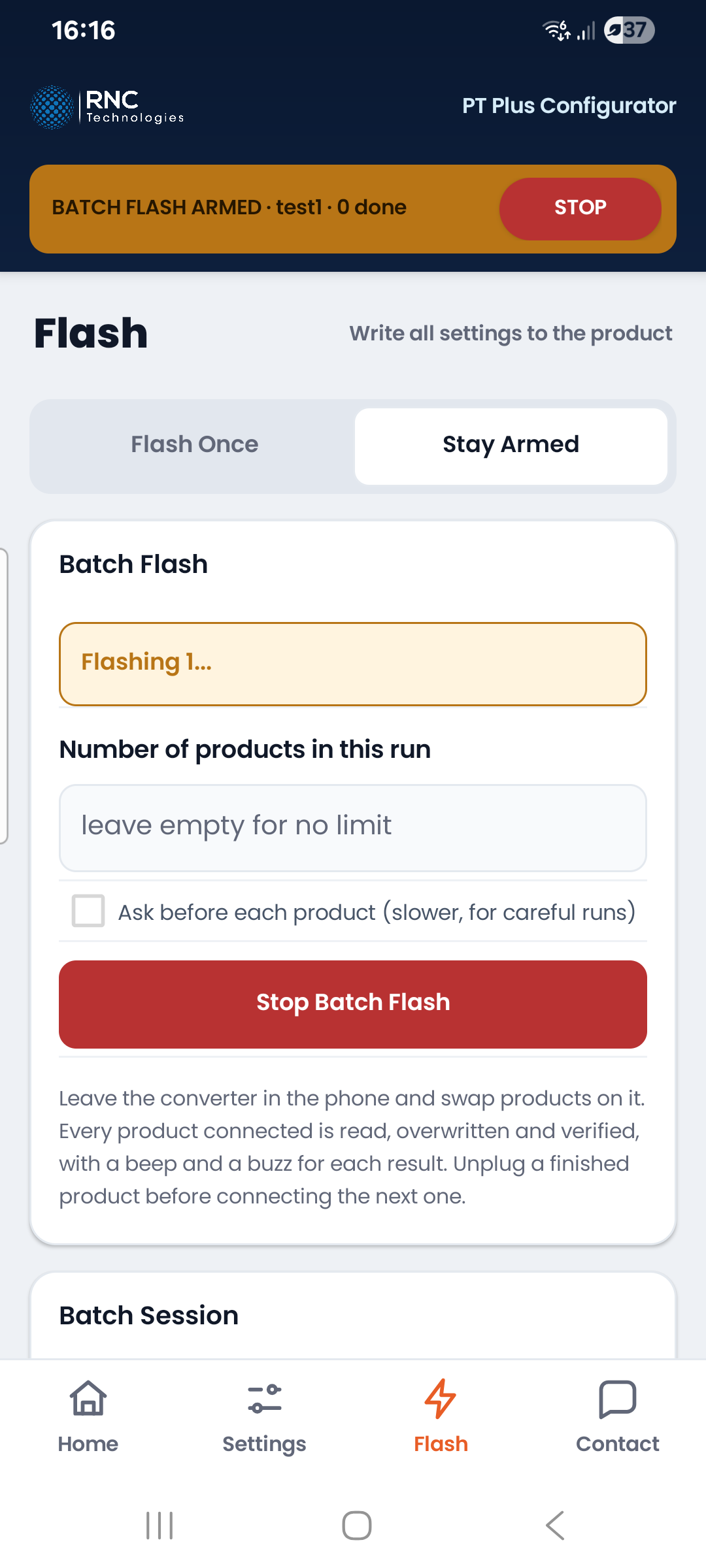
Arm the app once and work down the bench, swapping products with no tapping in between. Every unit is written and verified before the next one, with a beep for a pass and a different tone for a failure, so nobody has to watch the screen.
Prepare a job at the desk, flash it on site
Build the settings before you leave, with nothing connected. They travel with you, and plugging into a product on site cannot quietly overwrite what you decided at the desk.
Troubleshoot with the live view
See what the product is doing right now: open or closed, the active program and valve type, and the timers counting down. Telling a setting apart from a fault stops being guesswork.
Put RNC support on the case, from anywhere
A local team never has to describe a problem down a phone line. Send a diagnostic log from the app and RNC support sees exactly what that product has been doing, so tech support and managers can read the same unit without travelling to it. It goes only when someone asks for it, never on its own.
Keep whole projects consistent with preset files
One complete set of settings in a small file. Agree it once, send it to whoever is on site, and every outlet on the project ends up the same. RNC's configuration page produces the same files, so a customer's requested settings can go straight to their units.
Flexibility

It bends to the project, down to the single point.

No two projects want the same flush, and inside a project no two positions always want it either. Nothing is fixed in the app. What a product does is decided per project, per site, per product type, per installation, and where it matters, per point.

Project Site Product type Installation Individual point
A preset per project
Each project gets its own preset file, and the next one gets a different file. A hospital wing and a stadium concourse can run completely different settings from the same phone, with nothing to unlearn between them.
One proven unit becomes the master
Set a single product up until it is exactly right, copy it into the app, and it becomes the master for the run. What ships matches the unit somebody actually stood in front of and signed off.
A name on every individual unit
Each product carries its own device name, stored in the product and carried into any configuration file. A room or a position is enough, so a unit is still identifiable long after the person who fitted it has moved on.
The app

Four screens, and an amber bar when it is armed.

Home, Settings, Flash and Contact. Real screenshots from version 0.9.5, not drawings.
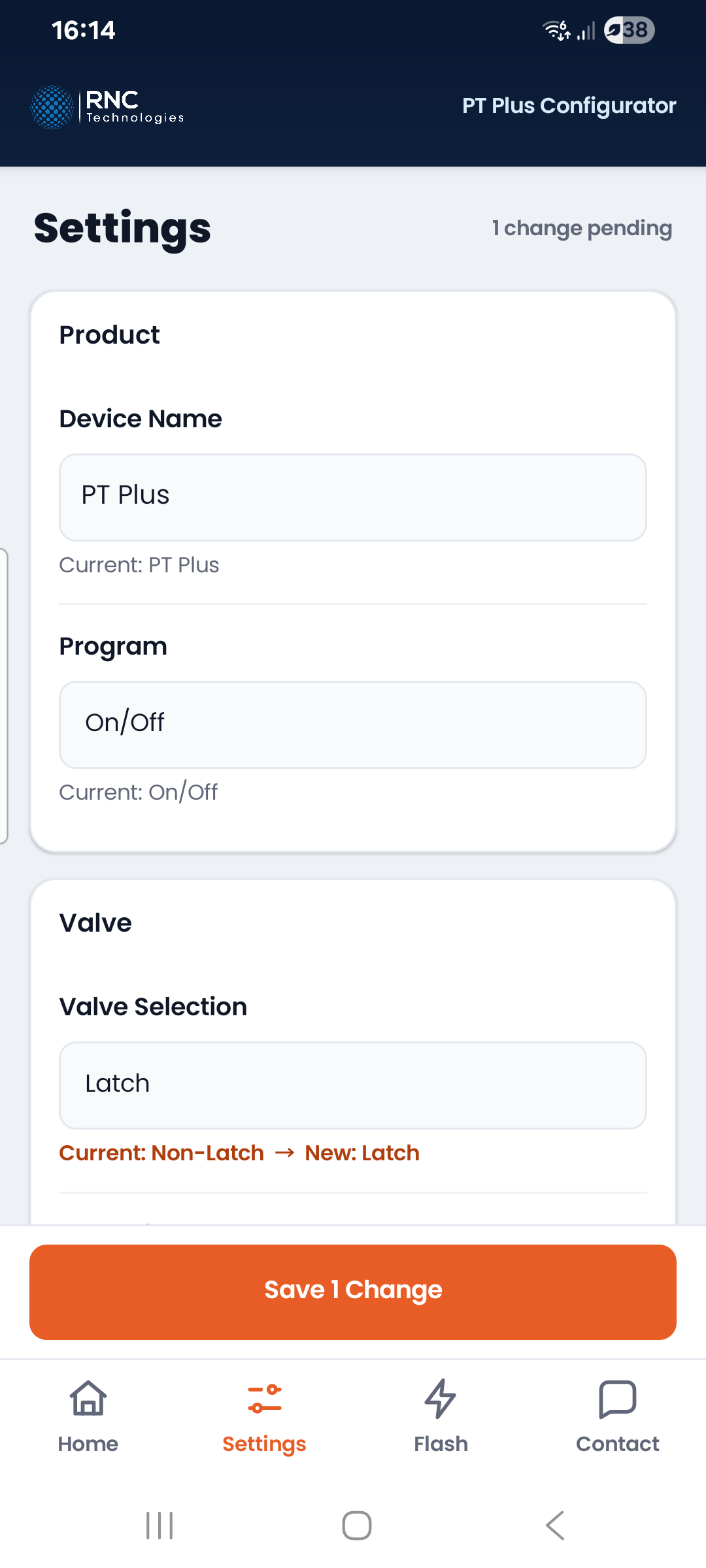
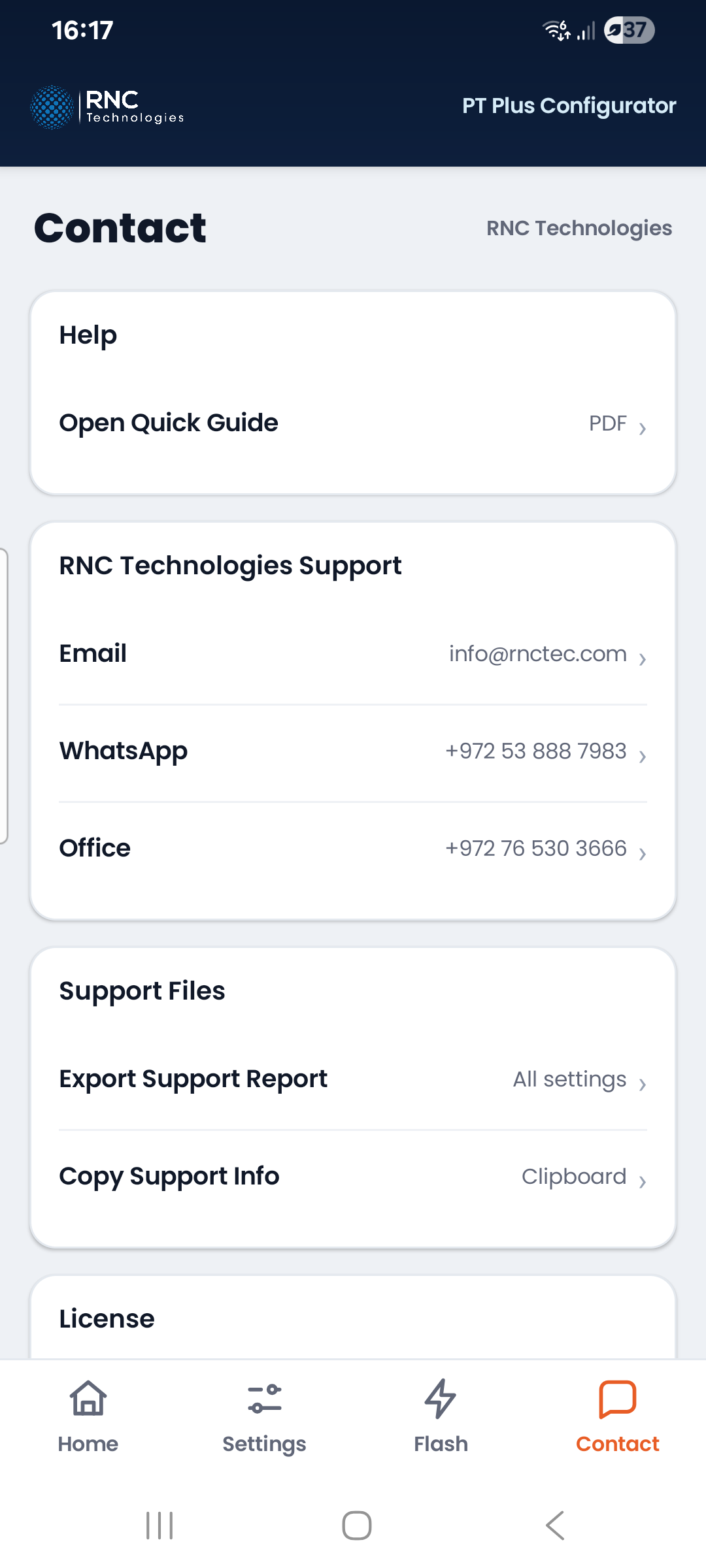
The PT Plus Configurator home screen, connected to a product, with the valve open and the timers counting downThe settings screen with changes pending and a save button counting themThe app armed for a production run, with the amber armed bar and a stop button across the topThe contact screen, with the licence state and the option to send a diagnostic log

The live view: what the product is doing right now, with the timers counting down.

Change what you need. Nothing reaches the product until you save.

Armed for a run. The amber bar and its stop button stay on every screen until you finish.

Licence state, and a diagnostic log you can send to RNC when you choose to.

Try the app A click-through replica, no install needed.
How it works

Three things in a line.

Plain facts, so nothing is a surprise when the box arrives. Your phone connects to the RNC USB-UART converter, and the converter connects to the PT Plus switch on the far end of its wires. There is nothing to pair and nothing to press.

Android phone or tablet
Version 6.0 or newer, and a USB-C cable that carries data. A charge-only cable will not work.
RNC USB-UART converter
Stays in the phone. Products swap on and off it.
PT Plus switch
The product. Wired to the converter, and running on its own supply.
The product has its own 6 to 24 V supply. The phone never powers it.
No setting changes this, so when nothing answers, check power first.
Good to know

The quiet parts, for the people who ask.

None of this is why anyone buys the app. It is why the app is safe to use quickly, on site or across a run of two hundred.

Every value is checked
Nothing the app writes is taken on trust. Each value is read back off the product and compared, and a write that does not match stops and names the setting rather than reporting success.
A bad file cannot damage a product
Every preset is checked field by field, and a bad one is refused with a list of what is wrong with it.
Works offline after activation
Internet is needed once, at activation. After that the app works offline for the whole period, which is what makes it usable in a plant room or a half-built site.
Nothing changes until you write
Reading a product, watching it run, browsing settings and using preset files change nothing at all. Only Save, Flash and an armed run write to a product.
Documentation

Written for the bench, not for the shelf.

The manual assumes you know the product and assumes nothing about the app. It covers connecting, adjusting a unit, programming runs, preset files, licensing and what to check when something is wrong, then lists every setting the app writes with its default.

For manufacturers
The switch, the electronics, the firmware and the app. One system, from one supplier.
RNC builds every layer of a PT Plus, which means every layer can be built to an OEM's specification, including this app carrying an OEM's own name and branding.
Get the app

PT Plus Configurator, on Google Play.

Android 6.0 or newer, and a USB-C cable that carries data. Updates install over the top and keep your licence and settings.

Talk to RNC
Get in touch and we will set you up.
We are also the right people to ask about an activation code, a first production run, or anything the manual does not answer.
Licensing
Writing to a product needs a licence. Reading one does not.
An activation code
Supplied with your order, and entered on the app's Contact page. A licence belongs to one phone; if a phone is replaced, RNC releases the code for reuse.
Or a free trial
One per phone, with its length and terms shown before it starts. Reading a product, browsing settings and using preset files work without any licence at all.