
Piezo push buttons: how they work, how to wire them, how to choose one
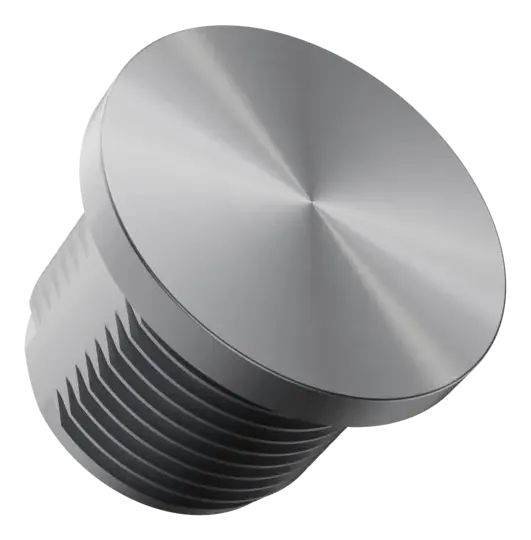
A piezo push button, also called a piezo button or piezo switch, is a sealed push button with no moving parts. Pressing the front flexes a piezo element behind it, and electronics inside turn that into a clean switching output. This guide covers what that output does, how to wire and test one, and how to pick the right one, with values from RNC datasheets.
What the output does
A standard piezo push button is normally open and momentary. Each press closes the output for a short pulse: 125 to 300 ms on the RNC PT Series, depending on force, time and speed. It is a pulse, not a held contact, so the output does not stay closed for as long as a finger rests on the front.
That is the one behaviour to design around. Most inputs that count presses or start a sequence take the pulse directly. Where the logic expects a held signal, specify a prolonged or toggle output, or latch the pulse in the controller.
PT Series outputs: N.O. momentary as standard; N.C. momentary, prolonged and toggle as options.
Illustration: the pulse is drawn at 200 ms; the PT Series pulses for 125 to 300 ms. On a keyboard, focus the switch and hold Space.
How to wire a piezo push button
Wire it like a normally open contact. Values from the PT Series datasheets.
- Contact
- Normally open, free polarity: either wire to either side
- Switching
- 0 to 24 V AC/DC
- Current
- 0.2 A standard, up to 1 A optional
- Resistance
- OFF > 20 MΩ, ON < 5 Ω
- Load
- A PLC input, relay coil or indicator within the current rating
- Wire
- 22 AWG as standard; pins or terminal blocks optional
- Colours
- Single colour, 2-colour or RGB
- LED voltage
- 3.3, 5, 12 or 24 V: order the version that matches your supply
- Common
- (+) to the LED supply
- Each colour
- (−) to the controller, with a resistor in the line as drawn in the datasheet
- Separate
- The LED and the switch output are separate circuits
How to test a piezo push button
Test it in the circuit it will switch, not with a multimeter alone: a meter on a slow range can miss a pulse of 125 to 300 ms and make a working switch look dead.
- Wire it to a load. A supply of 24 V or less and a load that draws no more than 0.2 A, for example a relay coil, a PLC input or an indicator with its resistor.
- Press the centre of the front. Activation force is under 3 N. The load should switch for a short pulse.
- Release. On an N.O. momentary switch nothing more happens: the pulse has already ended. On a toggle version the output stays in its new state until the next press.
- No response? Check the supply voltage, that the load stays within the current rating, and the wiring against the datasheet drawing. Then contact us with the model and the circuit.
Replacing a mechanical push button
Thread
M16 x 1, M19 x 0.75, M22 x 1 or PG16. Check the drawing against your panel hole.
Torque
Tighten the mounting nut to 2.5 Nm.
Signal
A mechanical button holds its contact; a piezo button gives a pulse. For a held signal, choose prolonged or toggle.
Sealing
IP68 and IP69K, washdown-proof up to 100 bar.
Which piezo push button to choose
Pick what the button has to do to see the model, its specs and its datasheet.
A flat, flush face with no edge for dirt to collect. The PTF-22 mounts on M22 x 1; the compact PTF-16 on M16 x 1.
The bevel on the face makes the activation area easy to identify.
A recessed surface for easy and secure location of the activation area, designed for applications where users work with gloves.
A ring LED for status indication, in single colour, 2-colour or RGB, at 3.3, 5, 12 or 24 V.
An onboard MCU inside the switch: it communicates with your system, runs its own logic, answers a poll to confirm it is operational, and keeps the same feel from −40 °C to +85 °C.
A programmable piezo switch that operates latching or non-latching solenoid valves directly, from mains or battery.
Piezo push button questions
Short answers from the PT Series datasheets.
Is a piezo button the same as a piezo switch?
Yes. Piezo button, piezo push button and piezo switch are names for the same component: a sealed push button with no moving parts that switches when its front is pressed.
What output does a piezo push button give?
As standard it is normally open and momentary: each press closes the output for a short pulse. On the RNC PT Series the pulse is 125 to 300 ms, depending on force, time and speed. Normally closed, prolonged and toggle outputs are options.
How do you wire a piezo push button?
Like a normally open contact. The two wires go in series between the supply and the load, either way round, because the contact has free polarity. The PT Series switches 0 to 24 V AC/DC at 0.2 A as standard, up to 1 A as an option.
How long does a piezo push button last?
RNC PT Series piezo push buttons are rated for more than 50 million activations. With no moving parts there is no contact or spring to wear out.
Does a piezo push button work with gloves or wet hands?
Yes. It responds to pressure, so the PT Series datasheets list activation with gloves and wet hands, and reliable operation with snow and mud.
Can a piezo push button be pressure washed?
The PT Series is sealed to IP68 and IP69K and rated washdown-proof up to 100 bar. IP69K is the rating for high-pressure, high-temperature washdown; IP68 covers continuous immersion.
Try one on your panel.
Samples of the PT Series are available. Tell us the model or the application and we will suggest the right configuration.